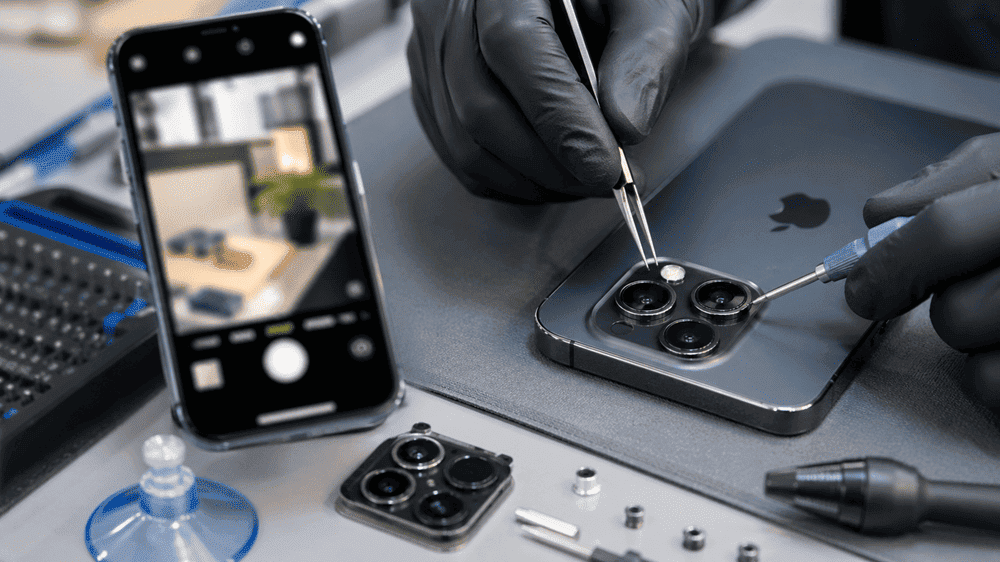

In today’s fast-paced world, our smartphones are more than just communication tools—they’re our lifelines. From managing work emails to capturing memories and connecting with loved ones, we rely heavily on our devices every day. Yet, despite their importance, many of us neglect the small signs that our phones are deteriorating. Regular repairs and timely maintenance can extend the life of your phone, saving both money and frustration in the long run.
At Snapfix Phone Repair, we understand the significance of keeping your device in top condition. This article dives deep into practical tips, common issues, and the benefits of proactive phone care.
Why Regular Phone Repairs Matter
It’s easy to ignore minor scratches, battery glitches, or a slightly cracked screen. However, small issues can snowball into larger, costlier problems. Regular repairs do more than just fix immediate concerns—they prevent long-term damage. For instance, a tiny screen crack might seem harmless, but it can spread over time, compromising touch sensitivity and exposing your phone to water damage.
Moreover, modern smartphones are designed with precision, meaning that even minor internal damage, like a worn-out battery or loose charging port, can affect performance. By addressing these issues early, you ensure your phone continues to operate smoothly.
Common Phone Issues That Shorten Lifespan
Understanding the issues that can shorten your phone’s life helps you take action before things get worse. Here are some common problems:
- Screen Damage: Cracked or shattered screens are not only frustrating but can lead to malfunctioning touch sensors.
- Battery Wear: Batteries degrade over time. If your phone dies quickly or struggles to charge, it’s a sign of wear.
- Water Damage: Exposure to moisture can corrode internal components, leading to sudden failure.
- Software Glitches: Outdated software or virus infections can slow down your device.
- Charging Port Issues: Dirt, dust, or loose connectors can affect charging efficiency and battery health.
Addressing these issues through professional repairs can significantly extend the lifespan of your phone.
Tips to Extend Your Phone’s Life
1. Get Screen Repairs Early
Even minor screen cracks should not be ignored. At Snapfix Phone Repair, our technicians can quickly replace damaged screens, preventing further cracking and avoiding internal damage. Using a screen protector alongside timely repairs can add an extra layer of protection.
2. Replace Batteries When Needed
A degraded battery not only reduces performance but can also strain internal components. Signs like overheating, rapid discharge, or swelling indicate it’s time for a replacement. Timely battery repair ensures your phone continues to function efficiently.
3. Protect Against Water Damage
Water exposure is a leading cause of phone failure. Simple precautions like using waterproof cases and avoiding phone use in damp conditions can help. If your phone does get wet, immediate professional assessment can prevent permanent damage.
4. Keep Software Updated
Regular software updates often include important security patches and performance enhancements. Ensuring your phone runs the latest software reduces glitches, crashes, and potential vulnerabilities.
5. Use Professional Repair Services
DIY fixes may seem convenient, but improper handling can worsen issues. Professional repair services, like Snapfix Phone Repair, use the right tools and genuine parts to ensure lasting repairs.
Benefits of Regular Phone Repairs
Investing in regular repairs has numerous advantages:
- Cost Savings: Fixing minor issues early prevents expensive replacements.
- Extended Lifespan: Regular maintenance keeps your phone performing like new.
- Data Protection: Repairs by professionals minimise the risk of losing valuable data.
- Enhanced Performance: A well-maintained phone runs faster, smoother, and more reliably.
- Environmental Impact: Extending your phone’s life reduces electronic waste, contributing to a greener planet.
By adopting a proactive approach, you save money, frustration, and unnecessary electronic waste.
When to Seek Professional Help
Not every phone issue requires professional intervention, but some signs should never be ignored:
- Persistent battery drain or overheating
- Cracked screens affecting touch functionality
- Phones shutting down unexpectedly
- Charging issues or damaged ports
- Water exposure
If you notice any of these, timely professional repair is essential. Delaying can worsen the damage, sometimes beyond repair.
Maintaining Your Phone Between Repairs
Regular repairs are essential, but everyday care also matters. Here are some practical maintenance tips:
- Clean Your Device: Gently wipe your phone and ports to prevent dirt buildup.
- Avoid Extreme Temperatures: Heat and cold can damage the battery and internal components.
- Use Quality Accessories: Avoid cheap chargers or cables that can harm your device.
- Monitor Battery Health: Don’t let your battery completely drain frequently.
- Backup Data Regularly: Protect your information in case repairs require data reset.
These small actions, combined with professional repairs, maximise the lifespan of your phone.
Maintain and Protect Your Phone for the Long Term
Your smartphone is a vital tool, and treating it with care can save you money, stress, and inconvenience. Regular repairs, professional assessments, and everyday maintenance are all part of extending the life of your phone.
At Snapfix Phone Repair, we provide fast, reliable, and affordable services to ensure your device stays in top condition. Don’t wait for minor issues to escalate—take a proactive approach today, and enjoy a longer-lasting, high-performing phone.
FAQs on “How to Extend the Life of Your Phone with Regular Repairs”
At least once a year or whenever you notice performance issues.
Yes, cracks can spread and damage touch sensors and internal components.
Replacing a worn-out battery improves performance and prevents potential damage.
Use waterproof cases and avoid exposing your phone to moisture.
Absolutely. Professionals use the correct tools and high-quality parts for lasting repairs.
Yes, updates often include optimisations that improve performance and security.
Turn it off, remove the case, and let it cool. If it persists, seek professional help.
Yes, it prevents scratches and minor cracks, reducing the need for repairs.
Avoid extreme temperatures, reduce background apps, and charge before full depletion.
Often, yes. Repairs can extend the device’s lifespan at a fraction of replacement cost.
Sometimes. Early professional intervention improves recovery chances.
Look for experienced technicians, genuine parts, and positive customer reviews.