A wet phone can seem like a complete disaster. Then one second, it is in your hand and the next minute, it falls in a sink or puddle or a toilet or gets drenched in heavy rain. If this happens, though, phone water damage repair is not always the end for your device. In a lot of situations, quick action is a big deal. That’s why it is so important to know the right steps to take.
Snapfix Mobile Repairs is a regular sight for visitors from Middleton Grange, Austral, Carnes Hill, Cecil Hills and Hoxton Park with waterlogged mobile phones. A few come in fast and rescue the device. Some wait too long, unfortunately that gives corrosion more time to spread. So, here this guide helps you in navigating through the most vital checklist of fast recovery for your phone after falling into water damage.
Why Water Damage Is So Dangerous for Phones
Water is bad, but the real issue typically begins when moisture hits the inside parts. When that occurs, electrical shorting, rust, and mineral residue can start to compromise the motherboard, battery, screen, speakers and charging port.
And water damage isn’t always instant and apparent. A phone can function for a few hours and then suddenly no longer have sound, stop charging or not turn on at all. That’s why, in the end, as soon as you are able to after being exposed to water is always the best course of action. Get details on Mobile Repair in Middleton Grange.
Essential Checklist for Phone Water Damage Recovery
Here’s the checklist you should follow, step by step, when your phone gets wet:
1. Remove the Phone from Water Immediately
It may seem obvious, but every second matters. The longer a phone remains submerged, the more chance for internal damage.
2. Switch It Off Straight Away
If the phone is still on, power it down at once. Do not test apps, do not check messages, and do not try to “see if it still works”. Electricity and moisture are a terrible combo.
3. Remove Accessories and External Parts
Remove the case, take out the SIM tray and memory card and anything else removable. That allows the trapped moisture to escape more quickly.
4. Dry the Outside Gently
Wipe the visible water off with a clean microfibre cloth or soft towel. Pat it dry, don’t shake it hard. Shaking it great runs moisture deeper inside.
5. Do Not Charge the Phone
One of the biggest mistakes people make is this: When you plug in a wet phone, it can create short circuits and even more extensive board damage.
6. Avoid Heat Sources
Do not use a hair dryer, or microwave and oven, or expose the phone directly to sunlight. Corrosive temperatures can damage the screen, battery and adhesive seals.
7. Skip the Rice Myth
Rice might be the most commonly used home remedy, but frankly it does not work. It will absorb some surface moisture, but it won’t extract any liquid or residue inside the phone.
8. Get Professional Help Quickly
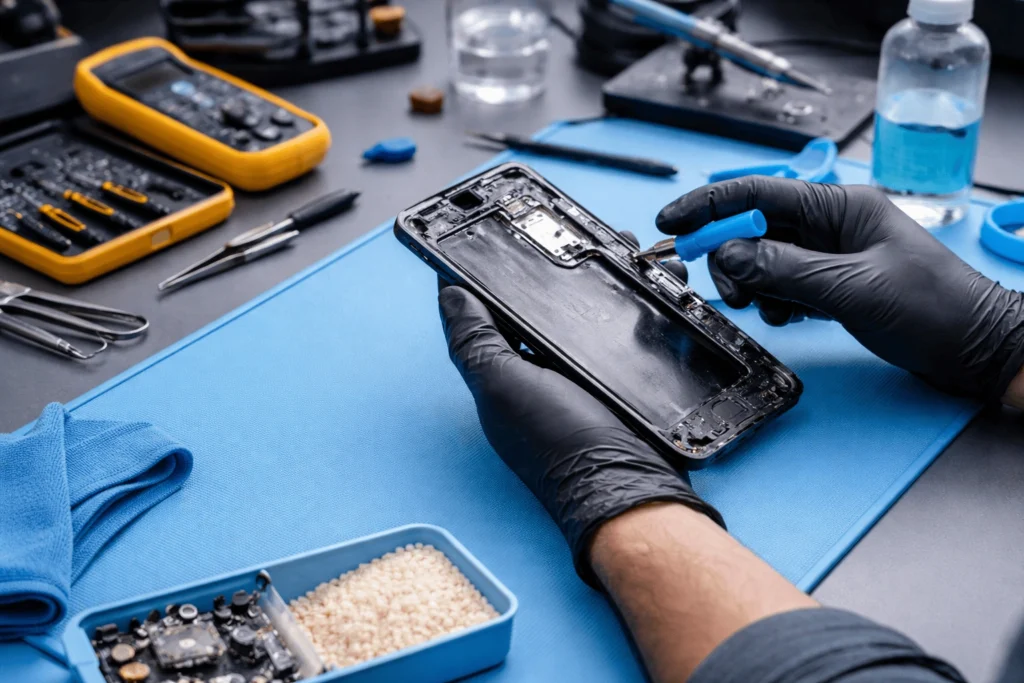
This step saves hundreds of devices. A professional phone repair service for water damage can disassemble the device, evaluate the internal components, remove corrosion from each part, and properly test damaged parts. Looking for a Smart Phone Water Damage Repair in Middleton Grange?
What You Should Do vs What You Should Avoid
|
Action |
Do This |
Avoid This |
|
Power |
Switch off immediately |
Keep using the phone |
|
Drying |
Wipe with soft cloth |
Use hair dryer or heater |
|
Charging |
Wait for full inspection |
Plug in charger straight away |
|
Moisture removal |
Seek professional internal cleaning |
Depend only on rice |
|
Testing |
Let technician assess it |
Keep pressing buttons repeatedly |
Signs Your Phone Has Water Damage
Sometimes the damage shows up instantly. Other times, it appears later. Watch for these common symptoms:
- Screen flickering or black display
- Muffled speaker sound
- Charging issues
- Touchscreen not responding properly
- Camera fogging
- Battery draining unusually fast
- Phone overheating
- Random shutdowns
If you observe any of these signs, a phone liquid damage repair service must closely examine the handset at the earliest opportunity. Get details on Smart Phone Camera Repair in Middleton Grange.
Can a Water-Damaged Phone Be Repaired?
Yes, the majority of water-damaged phones can be repaired, more so if the damage is dealt with quickly. But the outcome is contingent on a few key variables:
|
Factor |
Impact on Repair Success |
|
Time before treatment |
Faster repair usually means better recovery |
|
Type of liquid |
Clean water is less harmful than saltwater, coffee, or soft drinks |
|
Device condition |
Newer phones with better sealing may survive better |
|
Internal corrosion |
Heavy corrosion lowers repair chances |
|
Battery and board damage |
Major component failure increases cost |
So yes, recovery is possible, but delay makes everything worse. Even if the phone does reboot, a hidden type of corrosion can continue to spread internally.
Why Professional Cleaning Matters
Many think that drying your phone is all you have to do. But alas, that is only part of the story. Water does leave minerals and contaminants behind. These residues are corrosive agents, and metals beware corrosion gradually.
Use safe tools and cleaning methods with specialized technicians while examining motherboard, connectors, charging port and battery parts. Often, this internal flushing is what keeps a transient problem from becoming permanent. Looking for a Smart Phone Screen Replacement in Middleton Grange?
When to Bring Your Phone to Snapfix Mobile Repairs
You should bring your phone in if:
- It fell in water, even briefly
- It got wet in rain or a spill
- It shows charging or audio issues after moisture exposure
- The screen has fog or display problems
- The phone feels hot or unstable after getting wet
At Snapfix Mobile Repairs we understand how frightening this type of accident is. Your phone holds pictures, contacts, work chats, banking apps — everything. That is why it’s important to diagnose quickly. The sooner the device can be assessed, the better your chances are for saving both the phone and your data.
Related Articles:
» Smart Phone Charging Port Repair in Middleton Grange
» Smart Phone Back Glass Replacement in Middleton Grange
» Smart Phone Speaker & Microphone Repair in Middleton Grange
» OnePlus Service & Repair Centre in Middleton Grange
» Samsung Service & Repair Centre in Middleton Grange
Final Steps for Quick Phone Water Damage Recovery
When it comes to phone water damage repair, speed is the name of the game. Turn the phone off, stay away from chargers and heat, lightly dry the outside and immediately take it to experts for help. A small spill won’t necessarily be fatal to your device, but allowing it to linger can transform a fixable problem into an expensive replacement.
So consult this list and get cracking if your mobile has made a surprise plunge. In some cases, acting quickly can prevent your phone, your files and a fair amount of cash from going down the drain.
FAQs on “Phone Water Damage Repair”
Sometimes a nearby phone will seem to recover, only to develop hidden corrosion later on. Professional inspection is safer.
Rice is no answer, anyway. It’ll draw in a certain amount of moisture from the environment, however it doesn’t sterilize the paste that is trapped inside.
As soon as possible. Quick action provides the best hope for successful repair.
No. Charging a wet phone can cause massive internal short-circuiting.
Out of it and shut off it directly.
Yes. Salt water is much more corrosive with damage inside the device occurring a lot sooner.
Moisture may have damaged the display connector or screen assembly.
No. Most of the damage remains undetected until corrosion sets in to an extreme degree.
In many cases, yes. This often makes recovery possible (but not always) based on motherboard storage.
You may even find the warnings about slow charging, no charging or moisture on the screen.
Most times yes, especially if the device is valuable and treated quickly after exposure.
A trusted local technician like Snapfix Mobile Repairs can assess the damage and recommend the best repair option.